1.0
Pair at the desk
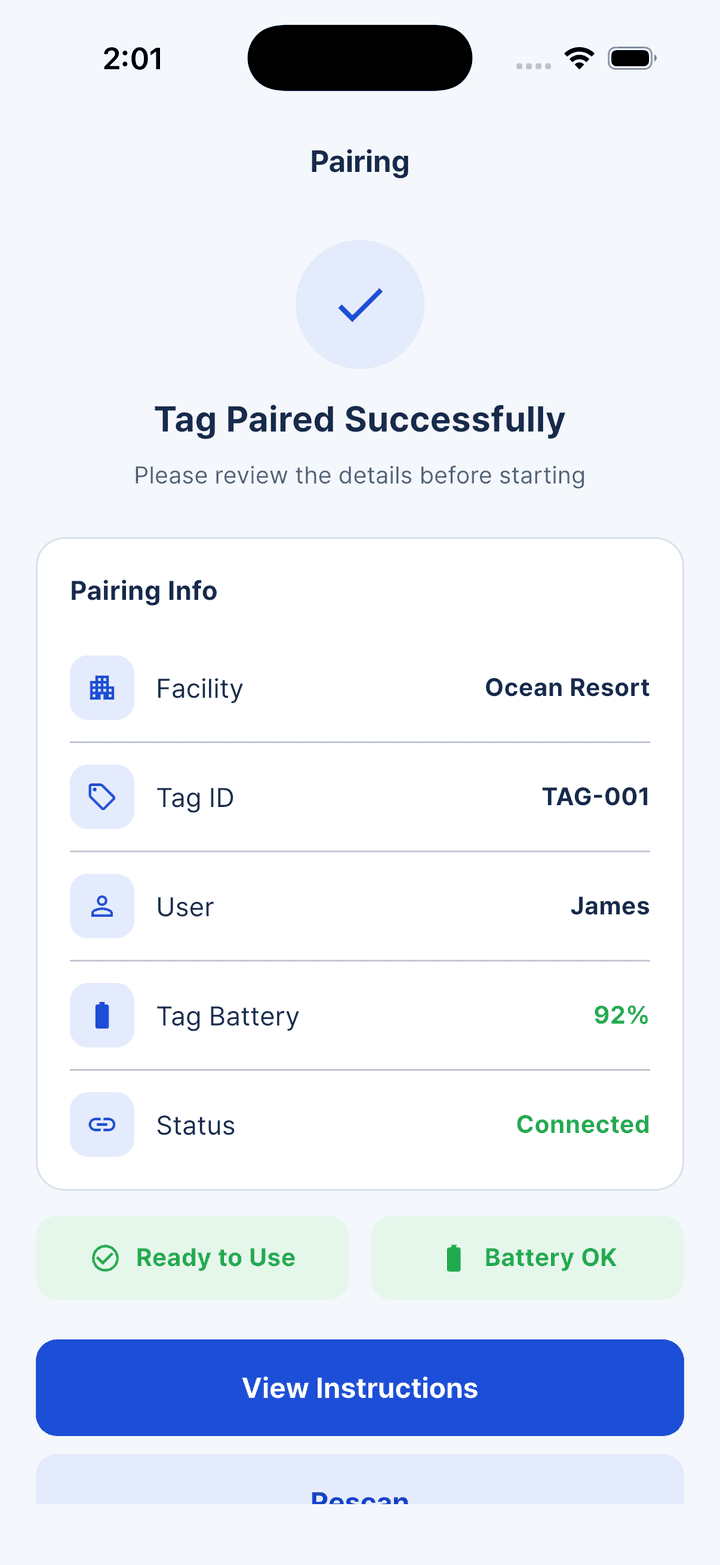
Staff issue a wrist tag. The guest scans its QR code once, and the app confirms the facility, tag ID, battery and connection state.
Aquvix for beaches, pools and resorts
Pair a guest with a wrist tag, keep a self-following rescue buoy nearby, and give the control desk a direct path from active session to SOS response.
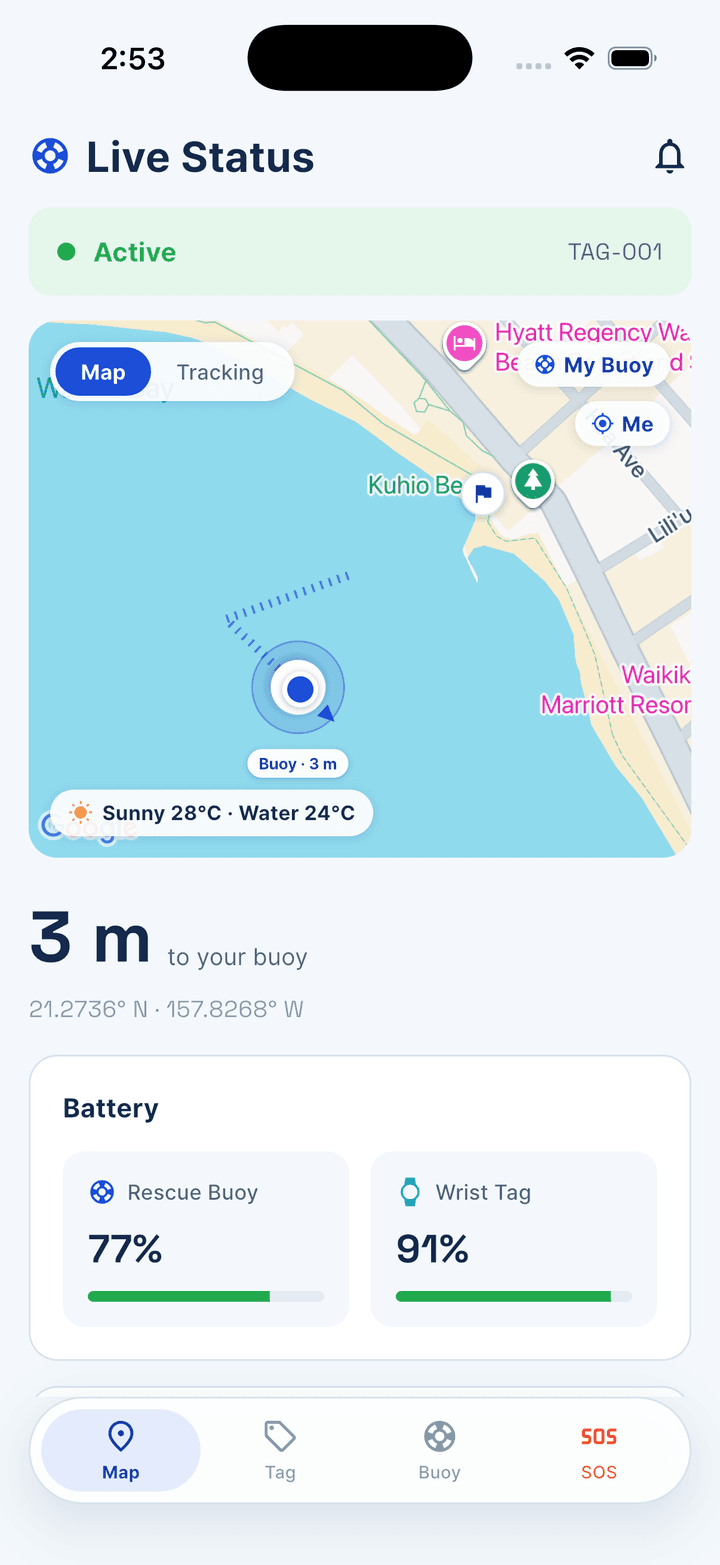
Distance, connection and equipment battery remain visible during the session.
The wrist tag is the swimmer’s control. The buoy follows it. The facility desk sees the session and receives the SOS.
The guest journey
The product tour follows the real app: assign equipment, confirm the swim, then make the SOS path unmistakable.
Staff issue a wrist tag. The guest scans its QR code once, and the app confirms the facility, tag ID, battery and connection state.
The buoy follows the wrist tag at the selected distance. One press calls it directly to the swimmer, without relying on the phone for positioning.
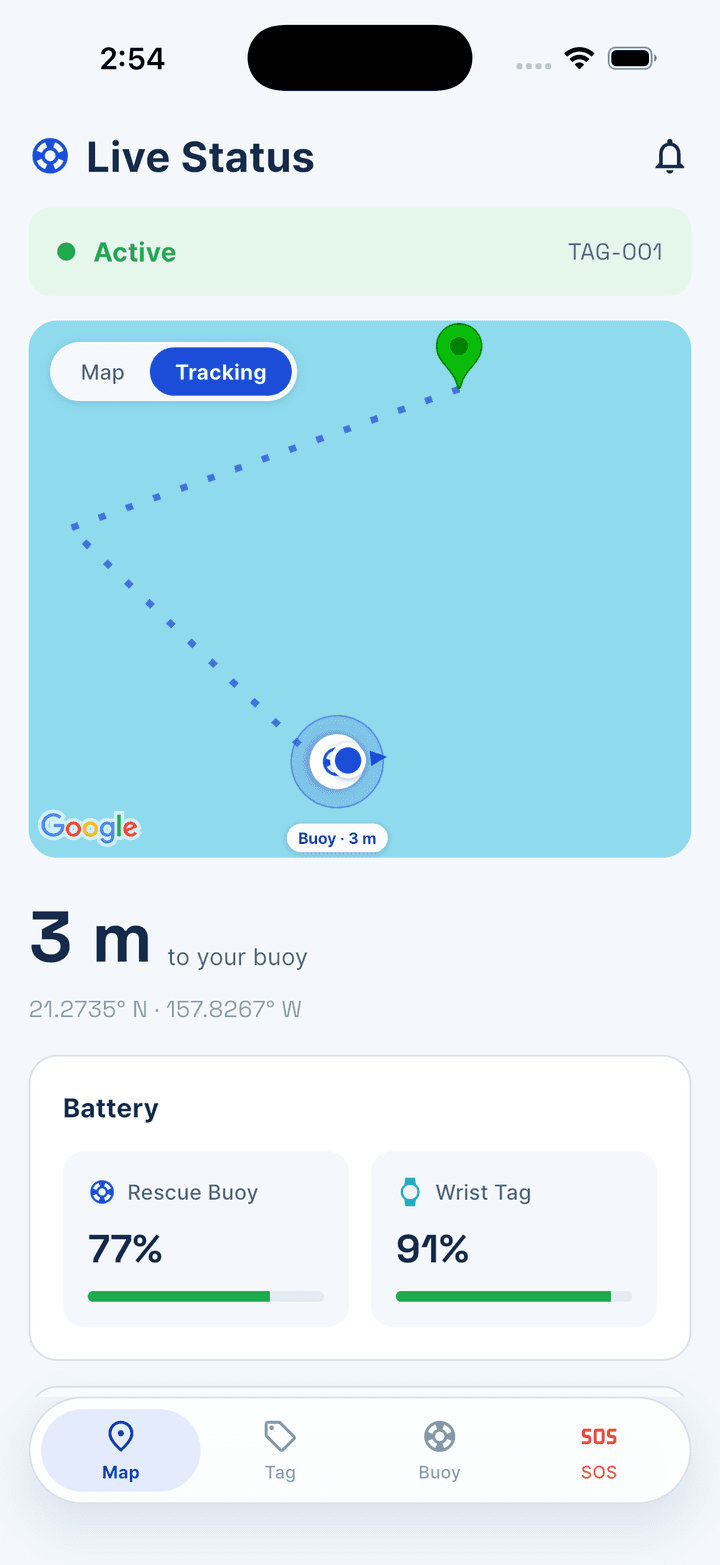
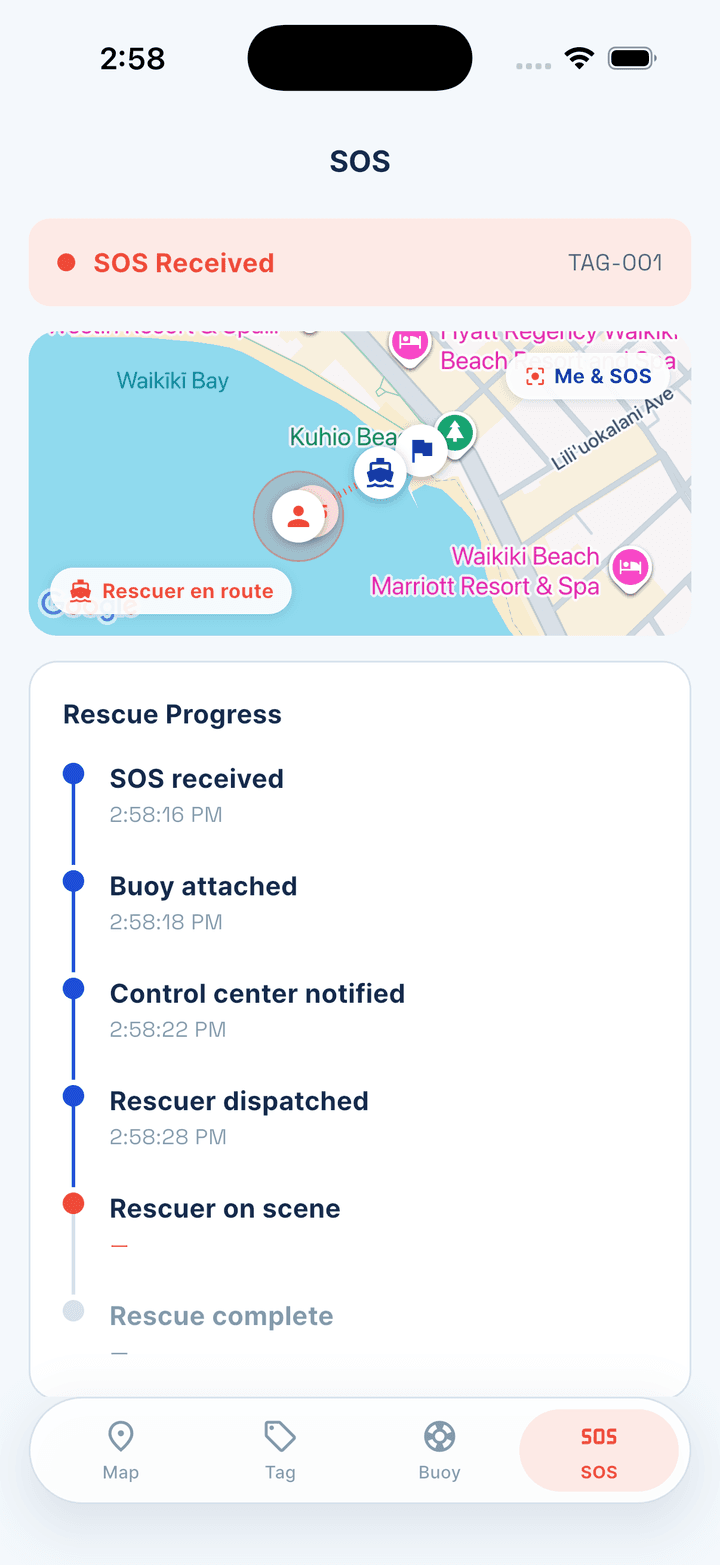
A press-and-hold brings the buoy in and sends the control desk an alert with the swimmer’s position. The response remains tracked in the app.
The buoy measures position and reports it. The guest app never requests phone location permission; its camera is used only to scan the wrist tag’s QR code.
Review the privacy policy →The briefing explains the tag controls and requires SOS instructions to be confirmed before a session starts. Aquvix is not a lifejacket or a substitute for a lifeguard.
Review the safety terms →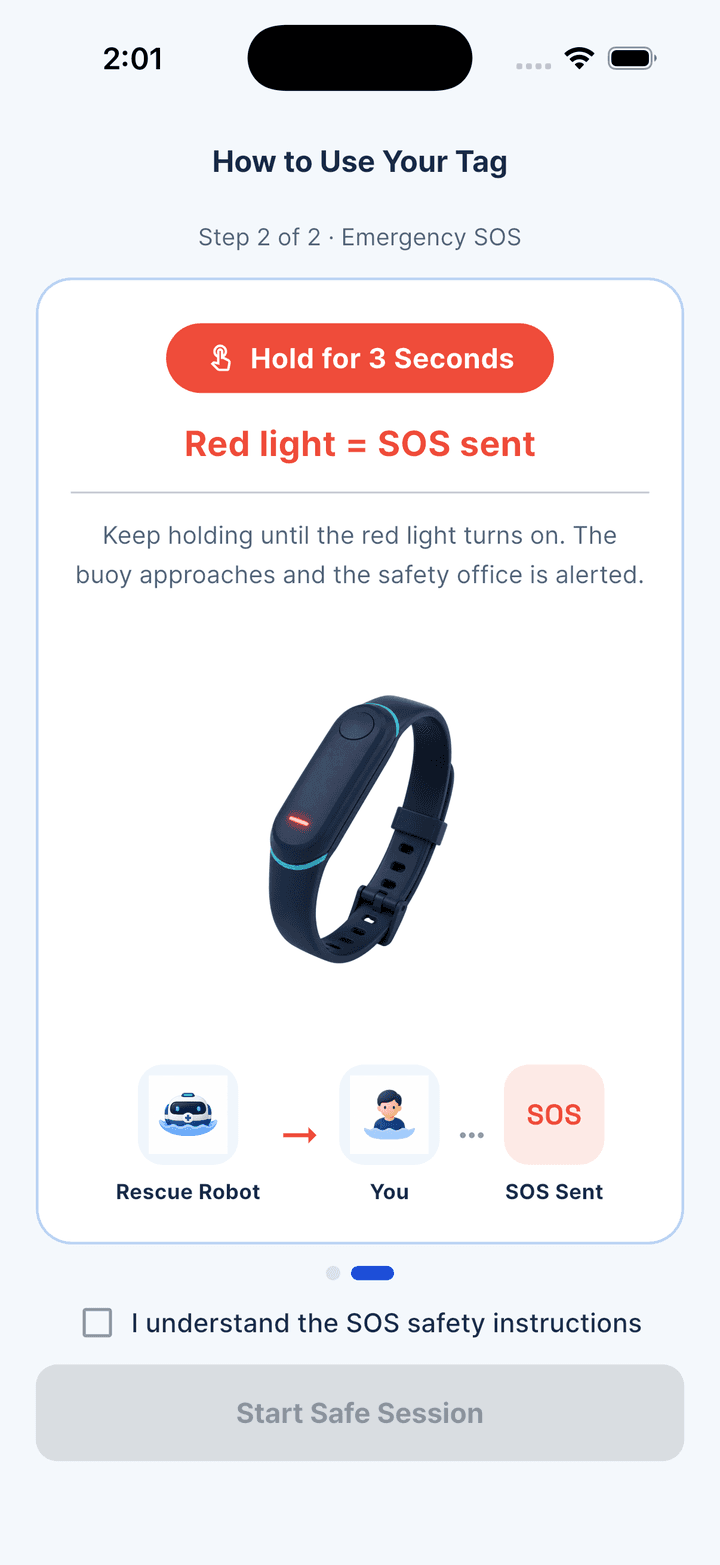
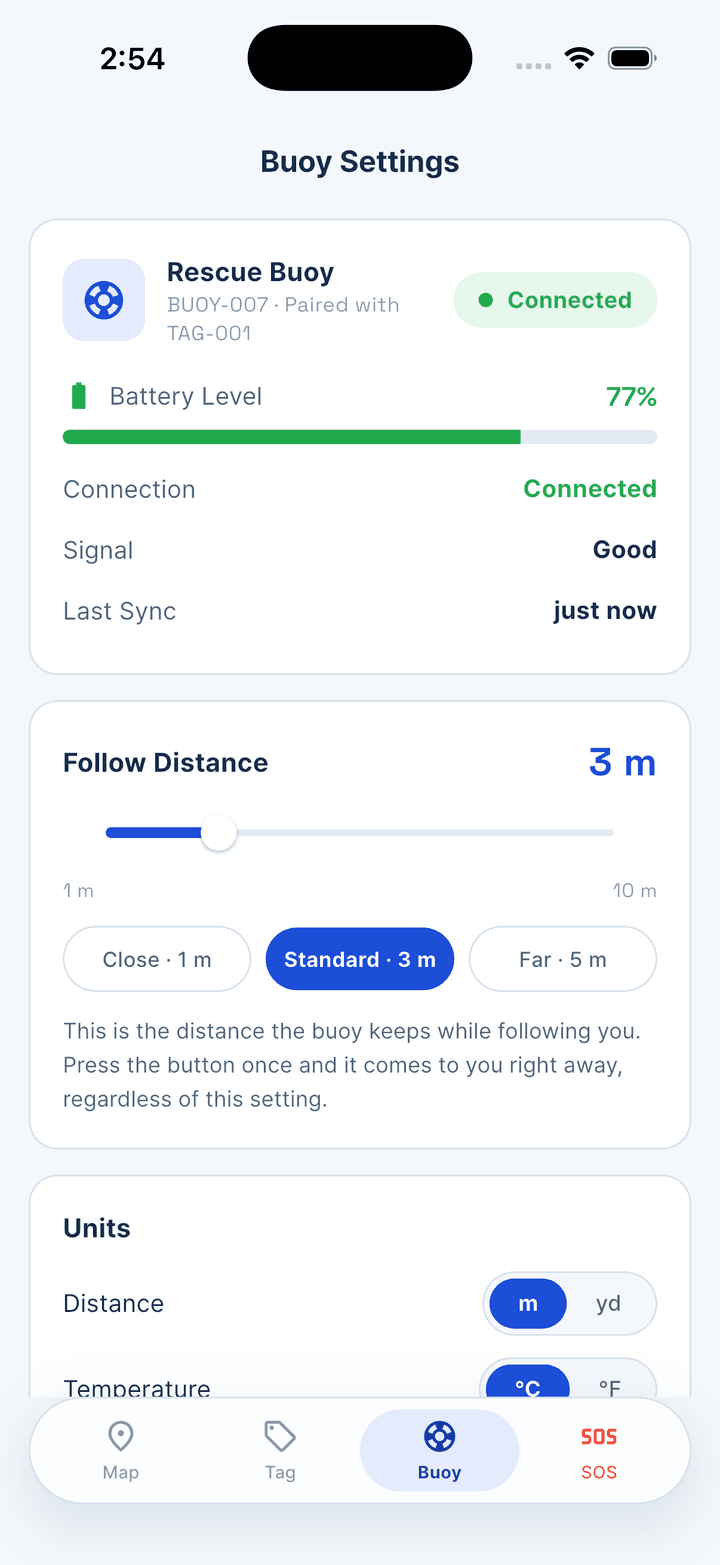
Aquvix turns each rental into a visible operating state, from equipment handover through rescue response.
For resort and waterfront operators
We’ll walk your team through equipment handover, guest briefing, active-session monitoring and the SOS response flow.